
Enjoy our products for creating and exploring raised line drawings

We design, produce, sell and support products that enable the creation of raised line drawings—an essential way for visually impaired people to access graphical information. Whether you are a child at school, a university student, or an adult in a hobby or professional setting, exploring raised line drawings with your fingertips can bring both fun and a deeper understanding of the visual world.


Our products

TactiPad drawing board

Our essential tool for creating raised line drawings, suitable for users of all ages.
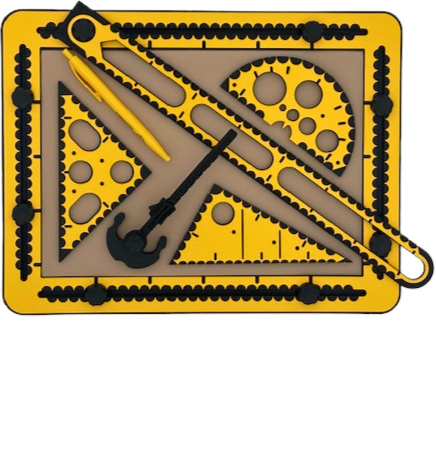
TactiPad tools spread across TactiPad: ruler, 30Triangle, 45Triangle, protractor, compass and pen.

Motorized Drawing Arm (MDA)

Create drawings with a fully automated stylus.
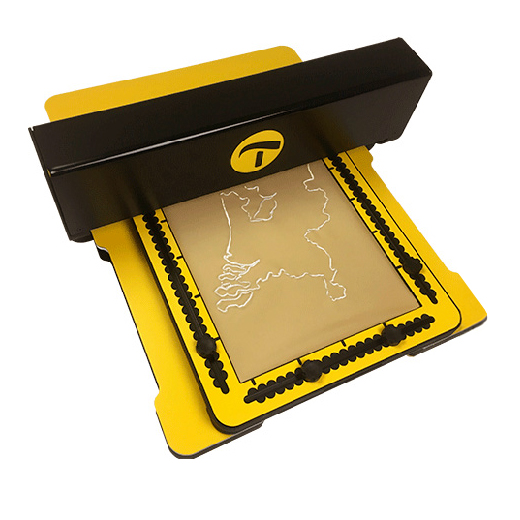
An MDA with a TactiPad on top. A map of the Netherlands is sketched on the TactiPad.

Add functionality to your TactiPad

In addition to the regular drawing tools, we offer several accessories.

GraphGrid

Create drawings based on rows and columns.
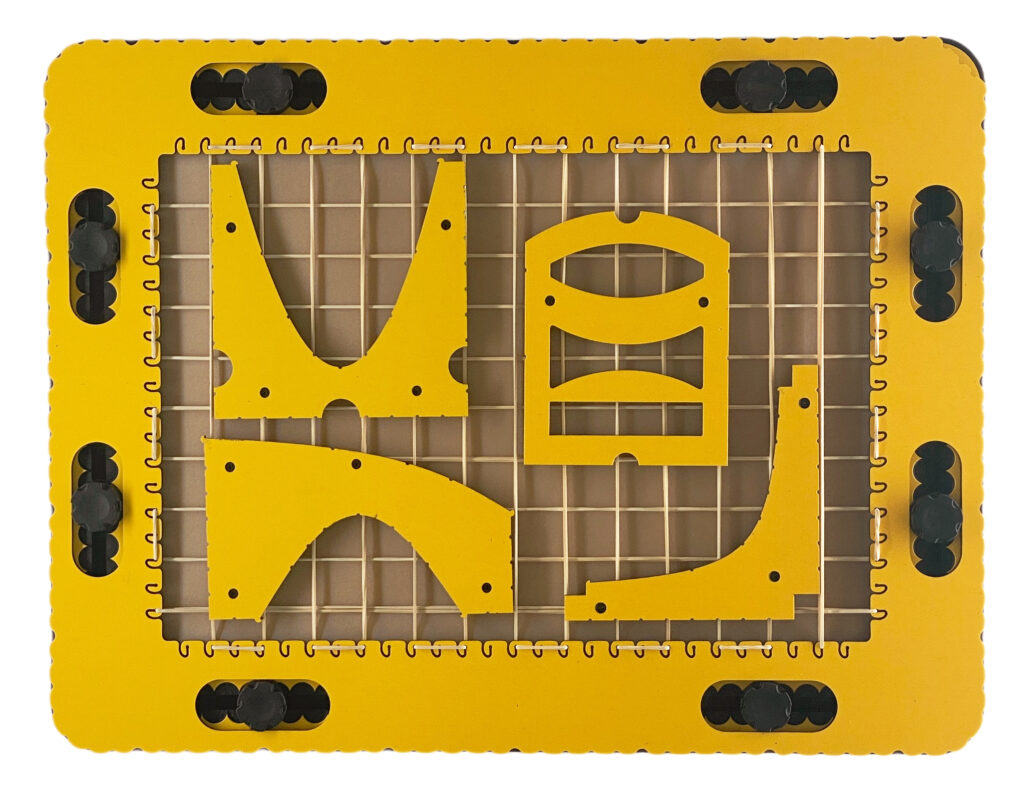
The GraphGrid on a TactiPad, with four tools placed on the grid: parabola, hyperbola, sintang, and lens.
Photo: The GraphGrid on a TactiPad, with four tools placed on the grid: parabola, hyperbola, sintang, and lens.

CircleFrame

Create drawings based on circles and angles.
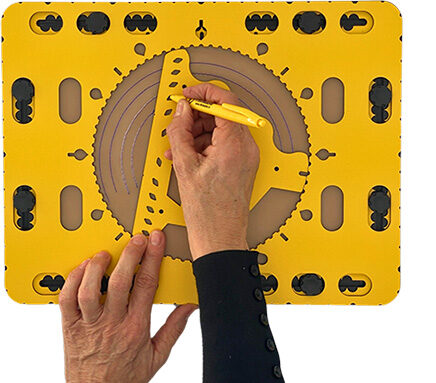
The CircleFrame on a TactiPad. A zigzag triangle is placed in the center of the CircleFrame. One hand guides the zigzag triangle to draw arcs, while the other hand holds the pen in the correct position in one of the holes in the base of the zigzag triangle.
Photo: The CircleFrame on a TactiPad. A zigzag triangle is placed in the center of the CircleFrame. One hand guides the zigzag triangle to draw arcs, while the other hand holds the pen in the correct position in one of the holes in the base of the zigzag triangle.

TactiForma

Produce basic shapes with ease and high accuracy for art and science.
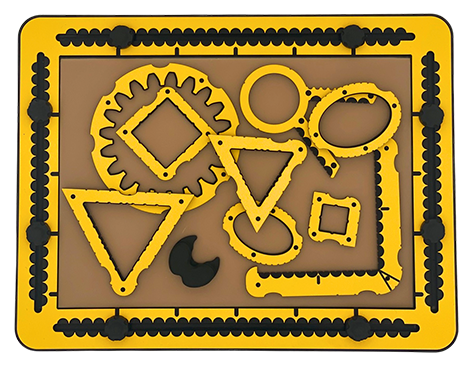
Examples of different templates from the TactiForma set on the TactiPad: two squares, two triangles, ellipse, hook, polygon tool plus magnetic center base, and spur wheel.

Our product descriptions and manuals

To help you understand how our products look and feel—even before you can hold them—we provide highly text-based web pages.

If you already own one of our products, the product descriptions and manuals will help you use it effectively. Especially if you are a teacher, you may want to read the texts carefully so you can follow what the VIP student needs to understand in order to get the most out of the products. You are welcome to use our explanations—so you don’t have to find your own words.
All texts are carefully curated by Jaap Breider, the designer of the products and a blind user himself.

Click here if you have suggestions or feedback.


Products

View the full range of Thinkable products and services

Manuals

Detailed user guides for our products

Video’s

Watch product demonstration videos

Shop

Purchase Thinkable products in our webshop

Newsletter

Stay informed with the Thinkable newsletter

Item added to cart.
0 items - $0.00