Creating drawings based on circles and angles
With the CircleFrame tool set, young children can playfully learn to make beautiful and instructive drawings, and students can do their homework faster and with greater accuracy. Artists of all ages gain new tools to express their creativity on the TactiPad.
Use of the CircleFrame
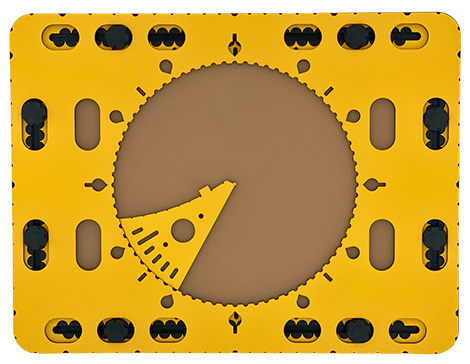
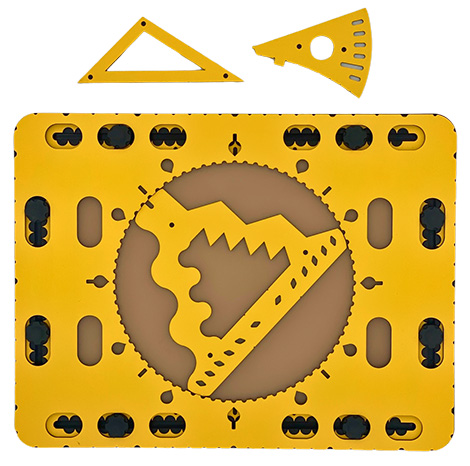
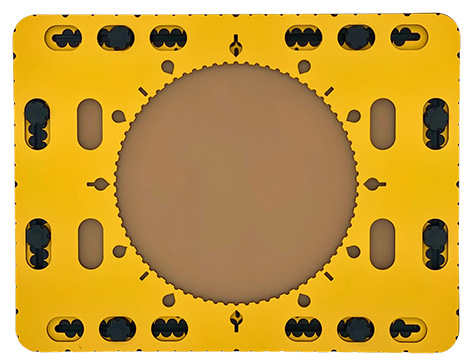
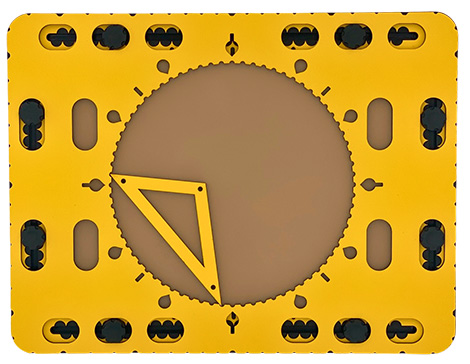
The eight oval holes in the circle frame fit around the knobs of the TactiPad, holding the frame in place. The large circle in the middle allows the wedge tool, the 468triangle or the zigzag triangle to rotate freely over 360 degrees. The tools can line up with indents along the edge of the circle at intervals of five degrees, or with markings outside of the circle: drop-shaped holes every 30 degrees indicating hour positions of a clock, or straight grooves at angles of 45 degrees. At various places along the edges of the drawing tools there are so-called pen blockers: these tactile indicators are small protruding points or indentations that indicate special positions on the tool. By hooking the pen into or against them, they facilitate and extend the use of the tool.
Zigzag triangle
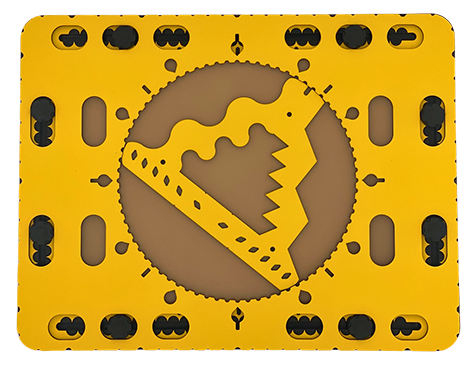
The triangle with smaller and larger waves and zigzag lines fits perfectly in the CircleFrame. Trace a shape around the edges, then rotate the tool by a small increment, and repeat. This way you can create wonderful overlapping tactile patterns called mandalas.
The 468Triangle as a template
The 468Triangle is constructed in such a way that it exactly spans a rotation of either 45, 60 or 90 degrees from one indent on the circle to another. It fits eight, six or four times in the circle. Based on the side lengths of the triangle, you can make your own templates out of cardboard. Cut any shape in the middle or along a side. This way you can create patterns that can be repeated eight, six or four times in the circle. The variations are endless.
Wedge tool
Place the rounded side of the wedge tool against the edge of the circle at the desired (degree) position. Near the side of the wedge tool, grooves with a distance of a minute can be found. This allows you to draw a clock with ‘real’ hour and minute hands. The wedge-shaped tool can also used to precisely draw a pie chart to present statistical information.
Rubber bands can be mounted symmetrically across the circle frame. When placed in this way they, they will cross the center of the circle. Even the compasses that come with the TactiPad can also be combined with the circle frame in surprising ways.