
Rubber bands spanning the diameter
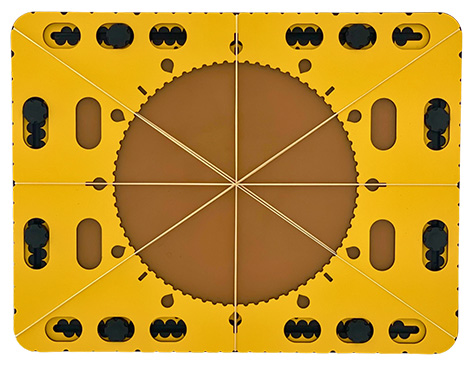
Indentations are placed around the outside of the circle frame, in which rubber bands can be attached. These indentations are positioned at every 10 degrees, seen from the centre of the circle. Slightly wider indents make the positions for 0, 30, 45, 60, 90 degrees, etc. easily recognizable. When spanning between opposing indentations with a rubber band, they meet at the centre, also forming the diameter of the circle.
It also exactly coincides with the degree indications along the circle’s edge.
Compass: circles in a circle
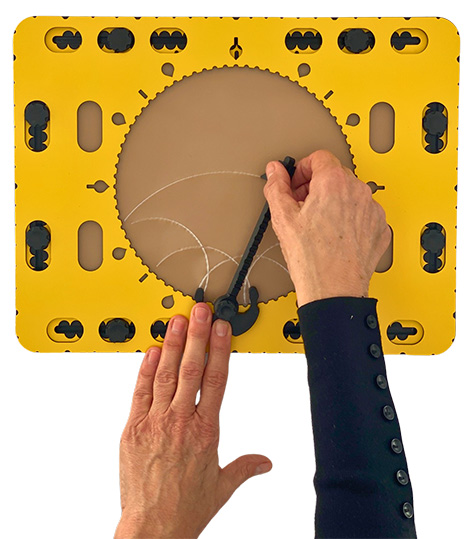
You can also combine the compass with the edge of the circle. The indents at intervals of five degrees are semi-circular and have the same diameter as the needle of the compass. Place the compass foot partly on the edge so the needle of the compass fits in an indentation of the CircleFrame. Set the desired radius for the circle to be drawn. The set radius determines the length of the curve that can be created. The centre of the arcs is now exactly on the edge of the frame. By drawing multiple arcs along the edge of the circle, you can create intriguing, repetitive geometric patterns.
Fantasy
As an example, set the radius at 10 centimetres. Place the compass base at 12 o’clock and draw the maximum possible curve. Place the base at 3, 6 and 9 o’clock respectively and create the curves as well. Trace the circle’s contour and remove the circle frame. The curves will cross in the middle of the circle.
 Previous section

 Table of content