
Congratulations on your new Motorised Drawing Arm (MDA).
Please unpack the device carefully and keep all packaging materials for future transport or storage.
Contents
02.1 – Before you begin
02.2 – Inside the box
02.3 – Removing the MDA
02.4 – Removing the foam protection
02.5 – Keep the packaging
02.6 – Repacking the MDA
02.7 – Handling advice
02.1 – Before you begin
- Place the shipping box on a stable surface.
- Ensure the address labels are facing upwards.
- Cut the sealing tape.
- Fold back the four cardboard flaps
02.2 – Inside the box
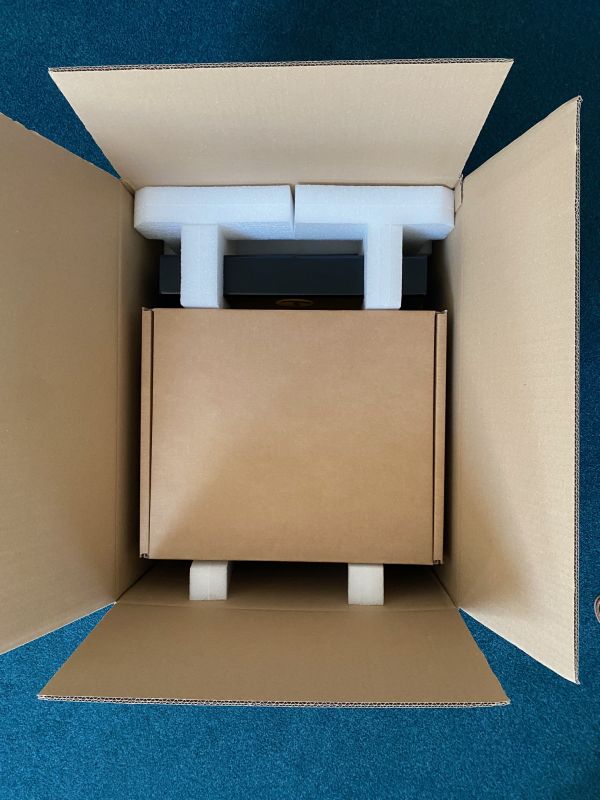
The MDA is protected by custom foam inserts.
You will also find two stacked inner boxes:
Box 1 containing:
- Power supply.
- USB-B cable.
- Pack of 400 drawing sheets.
- Quick start guide.
Box 2
Contains the TactiPad in its bag (if included with your purchase).
If no TactiPad was ordered, this box may be empty to provide stability during transport.
02.3 – Removing the MDA
- Remove the inner boxes first.
- Lift the MDA out of the carton while it is still inside the foam protection.
- Hold the device by its sides.
Important: Lift the MDA using the sturdy yellow top plate with the six black anchors for the TactiPad.
Do not lift the device by the flexible bottom plate.
02.4 – Removing the foam protection
Once the MDA is out of the box:
- Remove the two foam blocks near the black arm.
- Lift one side of the device slightly.
- Slide out the foam piece on that side.
- Lower the device carefully.
- Repeat on the other side.
When fully unpacked, the arm will be positioned towards the rear of the device.
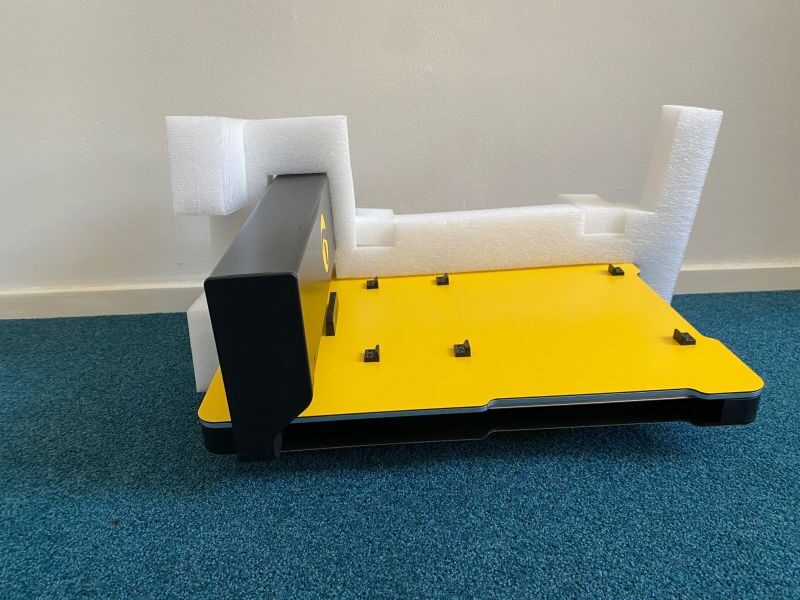
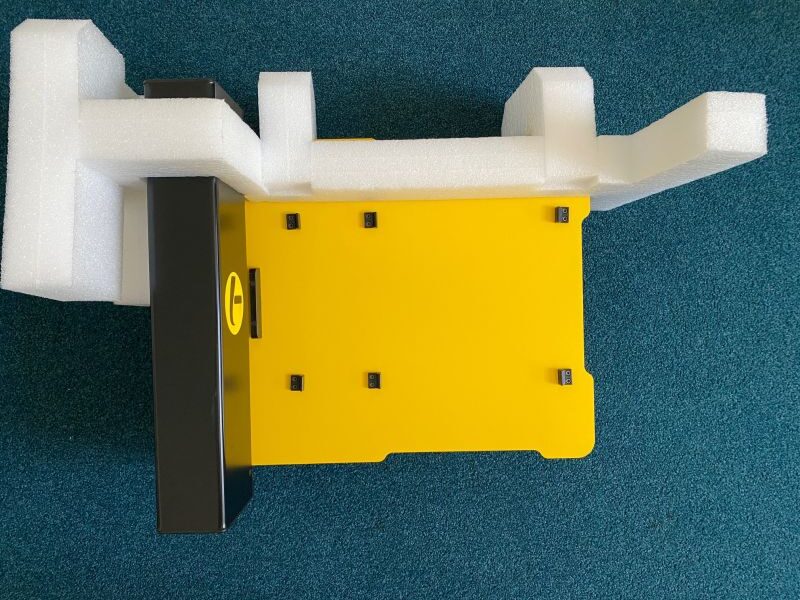
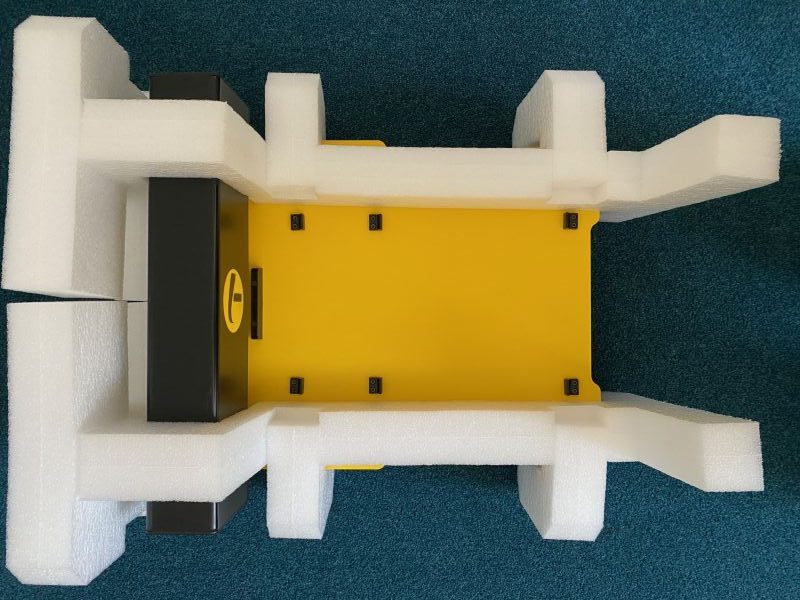
3 photos, side and top view: Long foam block covering the full length of the MDA and surrounding the arm. 2 short elements per side hold the long foam. 2 big blocks protect the backside, behind the arm.
02.5 – Keep the packaging
We recommend keeping all packaging materials for safe transport in the future.
02.6 – Repacking the MDA
Before repacking, ensure the arm is moved fully to the rear position. Then repack in this order:
- Place the two long foam blocks along both sides of the MDA.
- Place the two medium-sized foam blocks at the rear.
- Position two U-shaped foam pieces against each side of the MDA.
- Ensure they fit correctly into the cavities of the long foam blocks.
- Lower the packed device into the carton.
- Replace the accessory boxes.
- Close and seal the carton securely.
02.7 – Handling advice
- Always lift the MDA with two hands.
- Avoid pressure on the moving arm.
- Store the unit in a dry environment.
- Keep packaging away from moisture or damage.
 Previous section

 Table of content