
This manual section provides an overview of the screen reader accessible built-in website of the MDA, together with the available setup options.
Please note: all information relating to network configuration is covered separately in the manual section 06 Wired or Wireless Network.
Contents
05.1 – Built-in website
05.2 – Homepage
05.3 – Setup page (password-protected)
05.4 – Administrator details and password
05.5 – Global settings
05.6 – Network configuration
05.7 – Translators area
05.8 – Logging out
05.9 – Sketch utilities
05.10 – Help page
05.1 – Built-in website
If you connected a device with a web browser to the MDA hotspot when creating your first sketch, you will already have visited the MDA website.
Before continuing, make sure your device is connected to the MDA.
Open your browser and enter the following address: http://mda/
The website will then open.
Across the top of the page you will find navigation links divided into two functional groups:
- Homepage, Setup page, and Help page for general information and configuration.
- Links to Sketch Utilities, described in their own section of the manual.
05.2 – Homepage
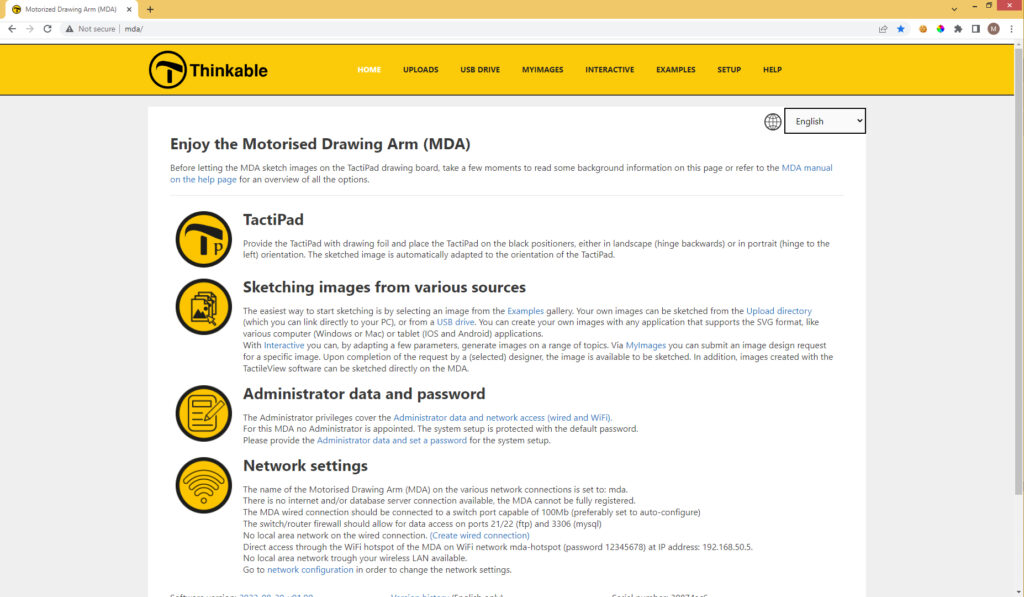
The homepage contains the following elements:
- A short description of the MDA
- Owner or administrator details
- Network configuration information
- Serial number
- Software version
After an automatic software update or after changing settings on the Setup page, the information shown here may be updated.
05.3 – Setup page (password-protected)
A new MDA is supplied with the default password: admin
Use this password to access the setup page.
If you have forgotten your password, select Factory reset to request a new password from Thinkable.
Please note: an internet connection is required.
The new password will be sent to the email address used when the MDA was registered.
05.4 – Administrator details and password
The registered administrator receives email updates about new developments and software updates for the MDA.
For the convenience of all users, the administrator contact details are displayed on the MDA Homepage.
Changing the setup password
You can replace the default password admin with your own private password.
Your password is not sent to or stored by Thinkable.
If you forget your password, you can request a new one. It will be sent to the registered email address.
If your registration details change, you can update them at any time by editing the relevant fields and submitting the form again.
05.5 – Global settings
Use this page to configure general preferences.
Measurement system
Choose either:
- Metric
- Imperial
Sketch confirmation
Choose one of the following options:
- No confirmation required
Select an image and the MDA will begin sketching immediately. - Confirmation required
After selecting an image, sketching will remain on hold until confirmed or cancelled.
This option is particularly useful in shared or multi-user environments.
Interface language
Select your preferred language for the user interface.
TactiPad orientation test
Choose:
- Landscape
- Portrait
The four magnet-sensitive sensors in the MDA bed detect the magnets in the front corners of the TactiPad.
If a sensor is faulty, the MDA may not start sketching correctly.
05.6 – Network configuration
Network setup may require technical knowledge and, in some cases, assistance from your IT department.
Please refer to the separate manual section 09 Wired or Wireless Network.
05.7 – Translators area
The MDA user interface is available in several languages.
If you would like to contribute a new translation or improve an existing one, please contact Thinkable to apply as a translator.
05.8 – Logging out
When you have finished registration or network configuration, it is recommended that you log out of the Setup pages.
No password is required for the other normal MDA functions.
05.9 – Sketch utilities
At the top of the built-in website you will find links to several sketch utility pages.
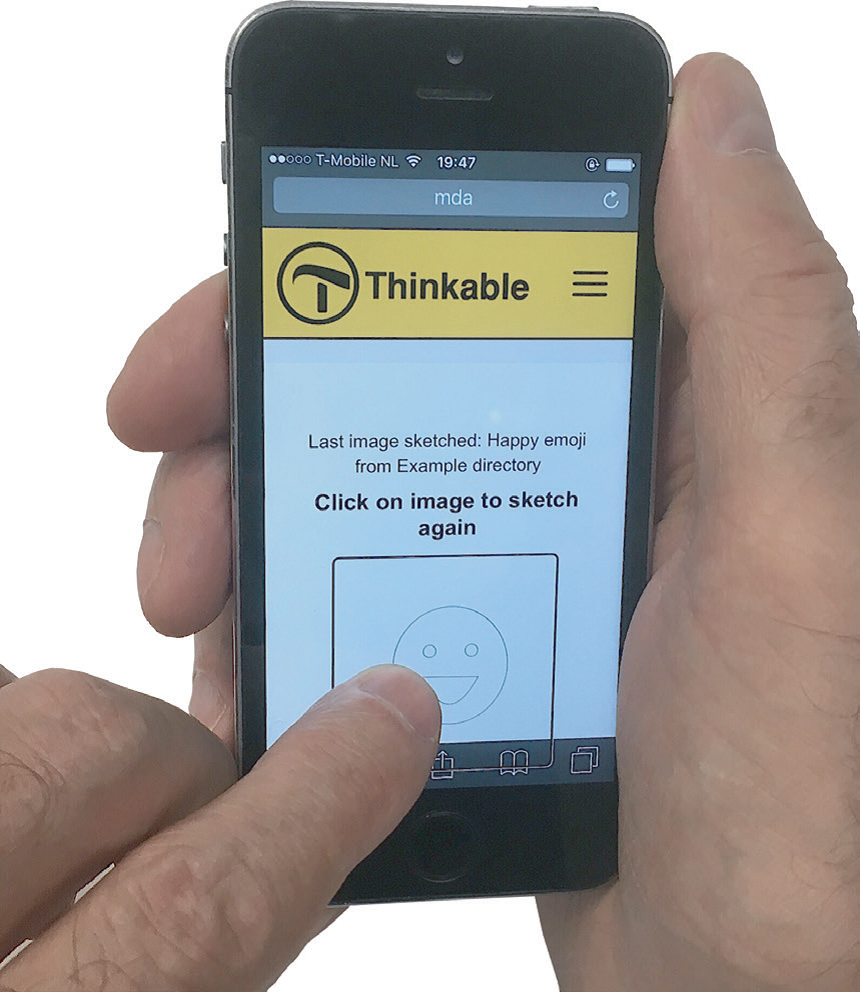
Upload page
Displays images received from external sources.
Files can be deleted to free storage space.
USB drive page
Allows files on a USB drive to be opened and sketched.
MyImages page
Allows users to submit a design request.
Interactive page
Contains a range of dedicated sketch utilities for specific content.
Setup page
Provides access to system settings.
05.10 – Help page
The Help page contains a link to the MDA manual on the Thinkable website.
Please note that the MDA must be connected to the internet in order to open the manual through the MDA interface.
 Previous section

 Table of content