06. ClickPad – Activating Text to Speech (TTS)

To be able to listen to the included audio-information, a Text to Speech system has to be installed on the computer. The TactileView software needs to have access to this system. Using the settings menu of the software, the language, speech rate and volume for the audio-information can be set. For information about the installation and use of the TactileView digital pen, please read the TactileView digital pen manual.

05. ClickPad – Exploring with speech and sound

With the tactile image placed on the ClickPad, the digital version of the design has to be opened as a file in the TactileView drawing software. The software then has to be switched from design mode to explore mode, using the digital pen (or the option in the View menu or hotkey Ctrl+E). Using the File menu, a design can also be opened in the explore mode straight away. This mode also has a menu …

Read more

04. ClickPad – TactileView digital pen and software

The digital pen is used to click on the tactile image to listen to any included audio-information, and to operate the TactileView software. The pen has to be equipped with batteries. In the TactileView drawing software the pen can be tested and calibrated for the ClickPad. To prevent ink from being spilled on the image, it is advised to use the plastic tip included with the TactileView digital pen.

03. ClickPad – Description

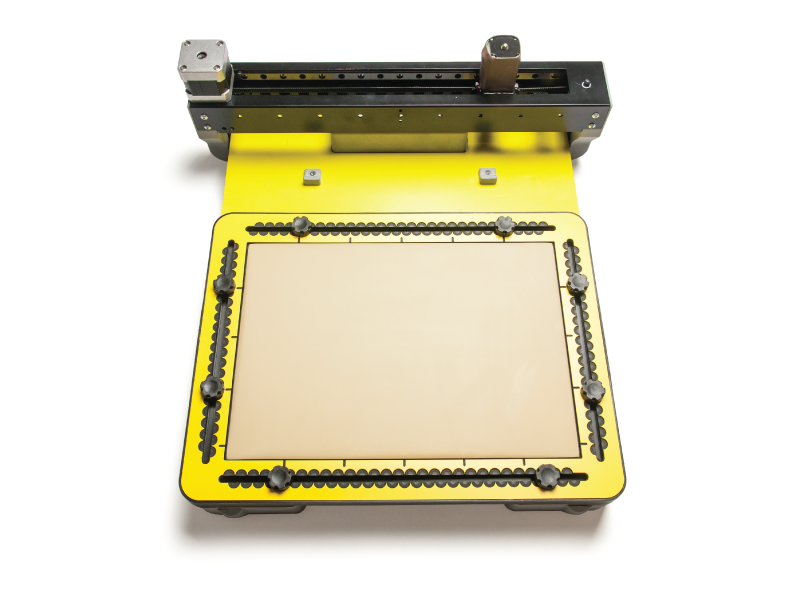
The TactileView ClickPad The ClickPad is a yellow, 5 millimeter thick plate, with anti-slip material on the underside. The ClickPad is available in A4, A3 and US letter format to match the different sizes of tactile images. The ClickPad is slightly wider at its four edges, and has notches in which rubber bands are placed. The tactile image is held in place by these rubber bands. In one long side are four holes for storing the …

Read more

02. ClickPad – Set up

The TactileView ClickPad holds both the tactile image, and the holder with the receiver for the TactileView digital pen. The rubber bands on the corners of the ClickPad make sure the tactile image is always on the same position. The holder for the receiver is placed at the edges, using magnets in the sides. This results in the images always being in the correct position for pointing on them with the TactileView digital pen. At …

Read more

01. Digital Pen – Introduction

Note: Since summer 2022, the Digital Pen has not been for sale anymore. This manual is for users who still own this former Thinkable product. The TactileView digital pen is a special version of a ballpoint pen. The pen writes in ink like a normal pen, but at the same time determines the position of its tip on the drawing surface. In the pen’s tip is a small transmitter, which sends a signal to a …

Read more

Inspirational story

Molecular structure of dopamine

Recently, we were contacted by Emily Schlenker, a blind pre-medical student at Wichita State University. She was born without sight, but that hasn’t slowed down her fascination with organic chemistry. For us at Thinkable, it’s stories like hers that drive our passion for tactile graphics. We are excited to share it with you as end-of-year inspiration. Blind ‘visual learner’ Emily says: “The TactiPad has been instrumental in my transformation from a fearful and anxious student …

Read more

Presenting the MDA’s prototype 2

Motorised Drawing Arm - prototype 2

In recent months, we have made major progress again in the development of the Motorised Drawing Arm (MDA). In this newsletter, we are excited to share the latest developments. We also invite you to come and see the device in action at the TifloInnova exhibition on 17-19 November in Madrid (for further details, see below). MDA prototype 2 The first important improvement in the second MDA prototype is the use of a new type of …

Read more

Presenting the MDA’s prototype 2

Motorised Drawing Arm - prototype 2

In recent months, we have made major progress again in the development of the Motorised Drawing Arm (MDA). In this newsletter, we are excited to share the latest developments. We also invite you to come and see the device in action at the TifloInnova exhibition on 17-19 November in Madrid (for further details, see below). MDA prototype 2 The first important improvement in the second MDA prototype is the use of a new type of …

Read more

New tutorial – Editing challenging images with TactileView

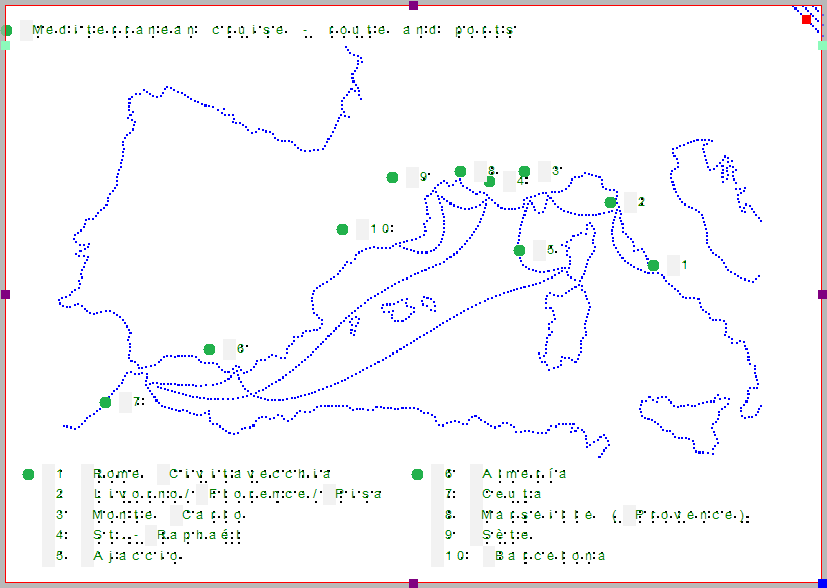
Tactile map of the Mediterranean cruise

For us, the last few months have seen a busy schedule of visiting conferences and exhibitions, bringing back a wealth of new ideas and contacts. Luckily, we were able to let all the new inspiration sink in during our summer holidays. And what better way to prepare a vacation than with a series of useful tactile graphics! By making these images accessible as tactile graphics with TactileView, Jaap was able to have the same fun in …

Read more

Item added to cart.
0 items - $0.00